- Kini AI
- Posts
- Our AI Tool Stack For Building A Second Brain
Our AI Tool Stack For Building A Second Brain

Olayemi Oluwakorede
May 13, 2026

Almost everybody can relate to the feeling of finding a video that explains exactly the thing we have been trying to understand for months, or reading an article so useful that we think, “I need to come back to this.” We save a bookmark, screenshot a tweet, forward ourselves WhatsApp messages, drop a link in our notes app, telling ourselves we will revisit it when we have time.
Spoiler alert: We never have the time.
Weeks pass. You’re in a meeting or deep in the creative spirit, and you know the answer to a challenge is somewhere in your device. But you cannot remember which app you put it in, which folder, or which device. You search and scroll till you give up and Google it from scratch, only to find a watered-down version of the thing you already had.
The problem isn't lack of information. As a matter of fact, in 2026, we have too much of it. The problem is synthesis. Saving a link and actually using it are two different worlds, and most of us have never built a system that bridges the gap between the two.
This is not a new headache. A few years back, Tiago Forte introduced to a concept he called Building a Second Brain — the idea that your phone, laptop, your notes app should function as an external extension of your memory. You save everything that matters into one organised system, and you retrieve it when you need it. The concept took off and people built entire communities around it. They built elaborate folder structures, colour-coded their notes, attended workshops on how to organise their digital lives.
This original second brain idea, for all its value, was still fundamentally just organised storage — you could find things if you looked, but you first had to look.
AI content creator and educator Matt Wolfe took the concept further and built an AI-powered version that does not just store your knowledge but actively connects it, makes it searchable, and responds to you using it as the foundation.
We recreated it and this is exactly how.
The Tools We Used — And What Each One Does
N.B: Before we dive in, what we built is the foundation — the wiki layer, which is the koko of the entire system. Wolfe's full version goes further, with a journal that responds to your entries using your own saved knowledge and a CRM that logs every person worth remembering. We did not build all of that, and you may not need to either. The beauty of this system is that it starts simple and grows with you. Master the wiki first and then decide how far you want to take it.
That said, here are the tools you need to actually build your Second Brain:
Obsidian
Obsidian is the front end — the visual layer where you see and navigate everything. It is a note-taking application that organises markdown files (plain text files with simple formatting). Everything in your second brain — your wiki pages, your journal entries, your CRM records — lives as a markdown file inside an Obsidian vault on your computer. Obsidian is free to download and use. You can find it at obsidian.md.
The reason Obsidian is ideal for this is that it works with plain files on your computer — nothing is locked in a proprietary format, nothing requires a cloud subscription to access, and everything is readable even without the app itself. Your knowledge base is genuinely yours.

Obsidian Web Clipper
This is a free Chrome extension that clips anything from the internet directly into your Obsidian vault. It extracts text from any content and saves it as a markdown file. So if you find a useful video, you click the web clipper, and the entire transcript is saved into your vault's raw folder, ready to be processed by the AI. This is one of the most practically useful tools in the whole stack.
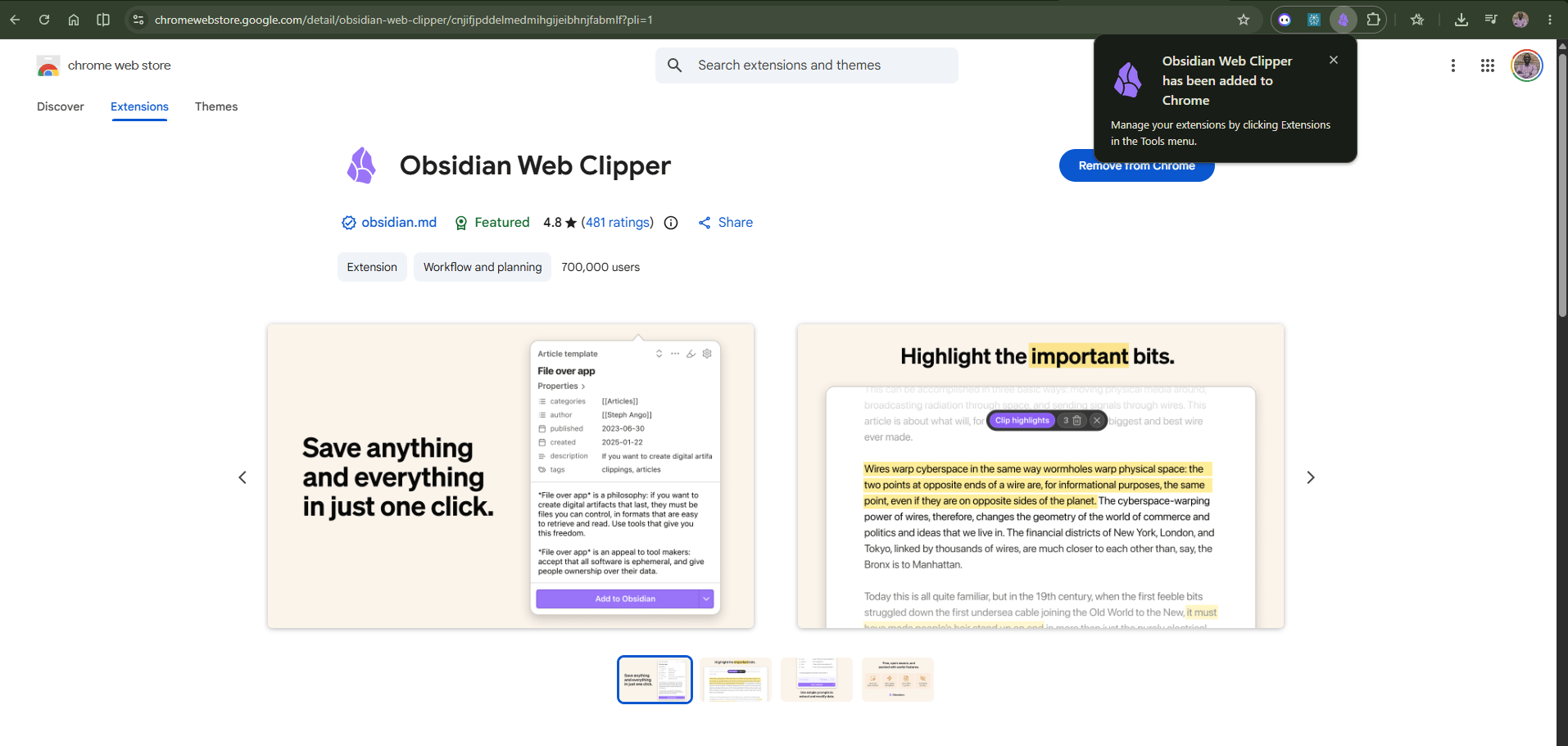
Obsidian Web Clipper
Codex
This is the final AI layer — the engine that processes everything, builds the wiki, responds to journal entries, and manages the CRM. It is an AI coding and project tool from OpenAI. This is where the technical setup happens: you open your Obsidian vault as a project in Codex, you write prompts that define how the system should behave, and Codex follows those instructions whenever you interact with the system. You can also set up automations in Codex — for example, telling it to check the raw folder every hour and process any new files automatically, so your wiki builds itself in the background while you do other things.

Codex has a free tier, but Wolfe notes that you will get the most out of it on a paid ChatGPT subscription. The automation features, in particular, work best with a more capable model.
So How Do You Actually Build This Thing?
For those who want to understand what building this actually involves, here is the process Wolfe walks through in the video — broken down into clear steps.
Step 1: Download and Set Up Obsidian Go to obsidian.md/download and download Obsidian for free. Once installed, create a new vault. This is the home folder where your entire second brain will live on your computer. Give it a name (I called mine Mini Brain)and save it somewhere you will remember, because you will need to point other tools to this exact folder in the next steps.

Step 2: Install the Obsidian Web Clipper Go back to obsidian.md/download, scroll to the bottom, and find the Web Clipper link. Add it to Chrome. Once installed, open the Web Clipper settings and add the name of your vault so that anything you clip goes directly into the right place. Set the note location to "RAW" — this is the folder inside your vault where new, unprocessed content will land before the AI works on it.

Step 3: Download and Set Up Codex Codex is the AI engine that powers everything. Download it from the OpenAI website. Once installed, open your Second Brain vault folder as a project inside Codex; this is how Codex knows where your knowledge base is and what to do with it.

Step 4: Build the Wiki Architecture Inside Codex, give it this prompt: "Build out the wiki architecture based on Andrej Karpathy's LLM wiki" — and paste the link to Karpathy's GitHub page. Codex will build the folder structure for you.
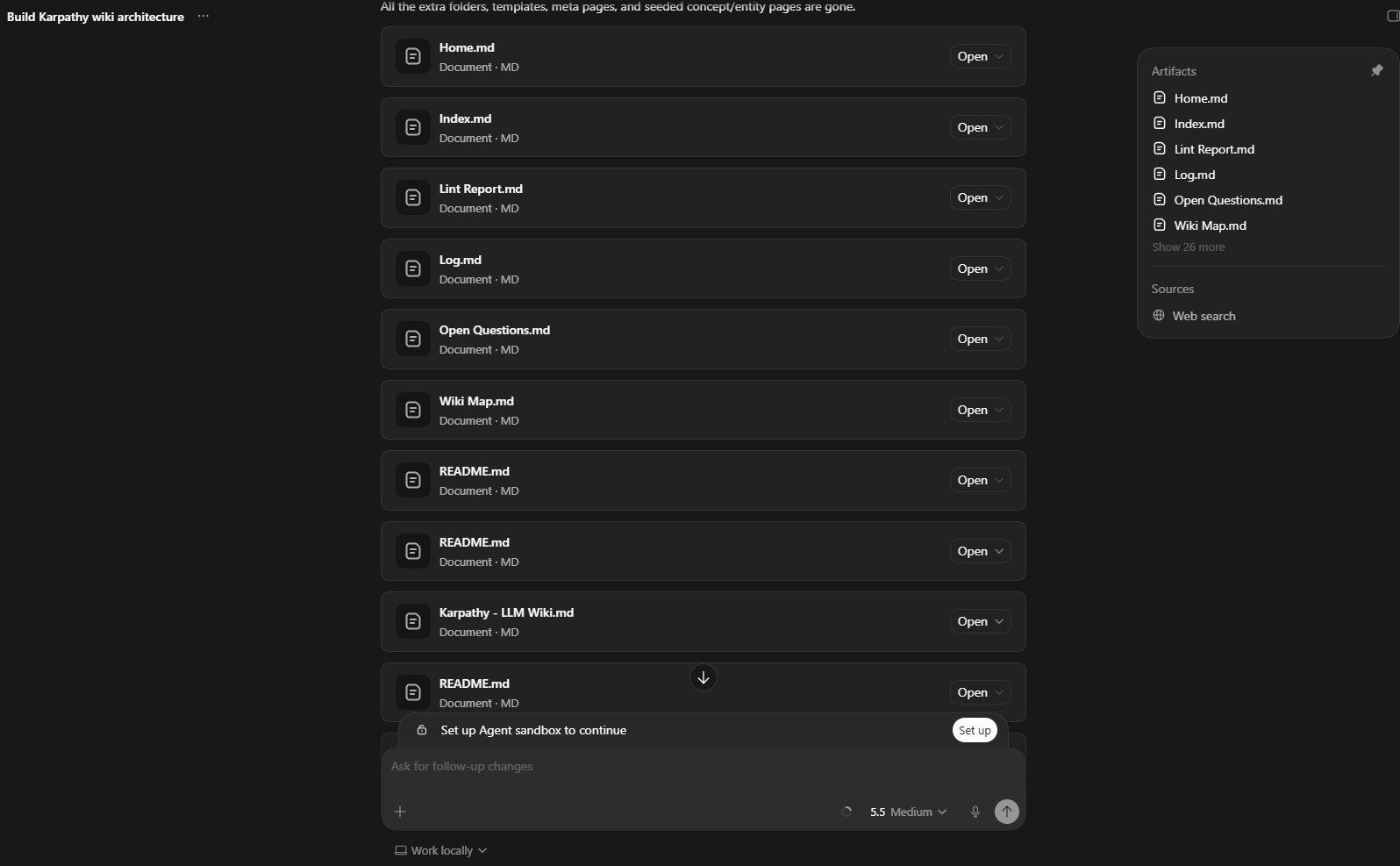
Step 5: Clip Your First Pieces of Content Use the Obsidian Web Clipper to save a few things you find genuinely useful — an article, a YouTube video, a piece of research. Each one lands as a file inside your RAW folder. Nothing happens automatically yet: you have just fed the system its first meal.

Step 6: Tell Codex to Process the Raw Folder Open a new chat inside your Second Brain project in Codex and type: "Process the files inside the raw folder." Codex reads each file, extracts the key ideas, identifies people, tools, companies, and themes, creates individual wiki pages for each of them, cross-links related content, updates the index, and moves the processed files into a subfolder called PROCESSED so you always know what has been ingested. Open Obsidian while this is happening and watch your wiki populate in real time.


Step 7: Add the Journal and CRM Elements Open a new chat in Codex and describe what you want in plain language — just as Wolfe does in the video. Tell it: "Create a journal folder. Whenever I start a message with 'journal,' treat it as a journal entry, save it to the journal folder, and respond by grounding your answer in what's available in my wiki and past journal entries. Also create a CRM folder. Whenever I tell you I'm adding CRM information, create or update a contact record in that folder." Codex updates the agents.md file with these new rules automatically. From this point, your system has three active layers — wiki, journal, and CRM. You can skip this part if you don’t want any of these.
Step 8: Set Up Automation In Codex's automations section, create a new automation. Set it to run hourly. The prompt is simple: "If there are any unprocessed files in the raw folder, process them. Once done, commit the current version to my private GitHub repository." From this point, your second brain runs in the background. You clip something, and within the hour it is processed, connected, and waiting for you inside your wiki — without you having to do anything.

Step 9 (Optional): Back Up to GitHub Create a free private repository on GitHub and connect it to your Codex project. Wolfe shows exactly how to do this in the video. This means every hour, after processing, your entire second brain is backed up to the cloud. Nothing is lost if your computer dies.
Who This Thing Help?
Build the full system if: you are a developer, researcher, content creator, educator, or knowledge-heavy professional who consumes a lot of information and struggles to retain and retrieve it — and you have a paid ChatGPT subscription and a few hours to set it up. The long-term return compounds significantly as the wiki grows. Watch Wolfe's full video and follow along.
Take the simpler route if: the technical setup feels like too much right now. The underlying idea matters more than the specific tools and you can get 60% of the value using something you likely already have access to.
NotebookLM is the accessible and user-friendly version of this same idea. Upload your important documents, articles, notes, and research into a notebook organised by topic or project. When you need to find something or understand a theme across multiple sources, ask the notebook. It reads everything you have uploaded and answers from your own material, not from the internet. It does not build interconnected wiki pages the way Wolfe's system does but it solves the core problem. Your saved information becomes searchable and conversational instead of buried and forgotten.
PROs
The system compounds over time; the more you save, the more powerful and interconnected it becomes. A wiki with 10 sources is useful, but one with 500 sources is transformative.
Your knowledge becomes genuinely searchable and conversational, not just stored. You can ask questions and get answers grounded in your own material.
The journal element is unlike anything else currently available — instead of generic AI responses, you get answers pulled from your own saved knowledge and your own past entries.
The CRM element is practically useful for anyone who attends events, manages client relationships, or simply has more conversations worth remembering than their brain can hold.
Obsidian is completely free and your files are plain markdown, fully owned by you, readable without any app, no vendor lock-in of any kind.
The Obsidian Web Clipper makes saving YouTube transcripts effortless; one click and the full transcript is in your vault.
The agents.md file means the system is fully customisable. You are not locked into anyone else's design. You tweak a prompt and the behaviour changes.
CONs
The full automation features work best on a paid ChatGPT Plus subscription at $20 per month. The free tier has limits that will slow you down if you are saving content regularly.
There is an initial time investment of one to two hours for the build. It’s not long in the grand scheme, but it requires focused attention to get right the first time.
The system requires a consistent habit of saving content. If you stop clipping, the wiki stops growing. The tool is only as good as what you feed it.
Codex is an OpenAI product and may not be available without restriction in all regions. Check availability in your country before committing to the setup.
The technical barrier, while lower than it sounds, is real for non-technical users. You are not writing code, but you are working inside a coding environment — and that can feel unfamiliar at first.
Without the automation step, you have to manually tell Codex to process new files each time. Not a dealbreaker, but it adds friction if you forget.
What It Will Cost You
Obsidian — Free
Obsidian Web Clipper — Free
Codex — Free tier available; full features require ChatGPT Plus at $20/month
NotebookLM (for the simpler version) — Free
GitHub backup — Free for private repositories
KINI BIG DEAL? (Why Does This Matter?)
In Nigeria and across the continent, we are consuming a massive amount of information. Between WhatsApp groups, industry reports, and global news, we are learning every second. But most of that knowledge evaporates because we don't have a bucket to catch it in.
The person who pulls ahead in the next few years won't be the one who reads the most. It will be the person who can retrieve what they’ve learned at the exact moment they need it.
The Second Brain is a working smarter idea. And the version that is right for you does not have to look like Matt Wolfe's version. It just has to exist.
Watch the full Matt Wolfe video here:
Author’s note: This is not a sponsored post, as it expresses my own opinions.
About Me
I'm Awaye Rotimi A., your AI Educator and Consultant. I envision a world where cutting-edge technology not only drives efficiency but also scales productivity for individuals and organisations. My passion lies in democratising AI solutions and firmly believing in empowering and educating the African community. Contact me directly, and let’s discuss what AI can do for you and your organisation
Subscribe to cut through the noise and get the relevant updates and useful tools in AI.
Reply